1- How SMTasker Works (In 60 Seconds)⏱️
In the next 60 seconds you'll understand exactly how phone automation works — and what happens when you press Start on your first tool.
Prefer to watch? This step is also covered on our YouTube channel — the written guide below matches it exactly.
What is phone automation?
Phone automation means software performs actions on a real phone for you — opening apps, posting content, liking, following, sending messages — exactly the way a human would, but automatically and on schedule.
Because the actions happen on a physical device (not through a private API), the platforms see normal phone activity. That’s the core reason SMTasker is safer than typical automation tools — and why you don’t need any coding skills to use it.
The three building blocks
Every automation you’ll ever run in SMTasker is the same three pieces snapped together:
The three building blocks of every automation: the phone does the work, the account is where it happens, the tool decides what gets done.
- The Body (the Phone): you connect a real Android phone or an emulator (like LDPlayer) to the dashboard. This is the machine that performs every tap and swipe.
- The Identity (the Account): you add your social media accounts. This tells the phone on which profile to execute the actions.
- The Brain (the Tool): you pick a tool — Auto-Liker, Follower, Poster and more — configure its limits, and hit Start.
Here is how those three blocks look in your real dashboard — the sidebar entries map exactly to the steps above: 1 — Devices (the Body), 2 — Accounts (the Identity), and 3 — Automations (the Brain).
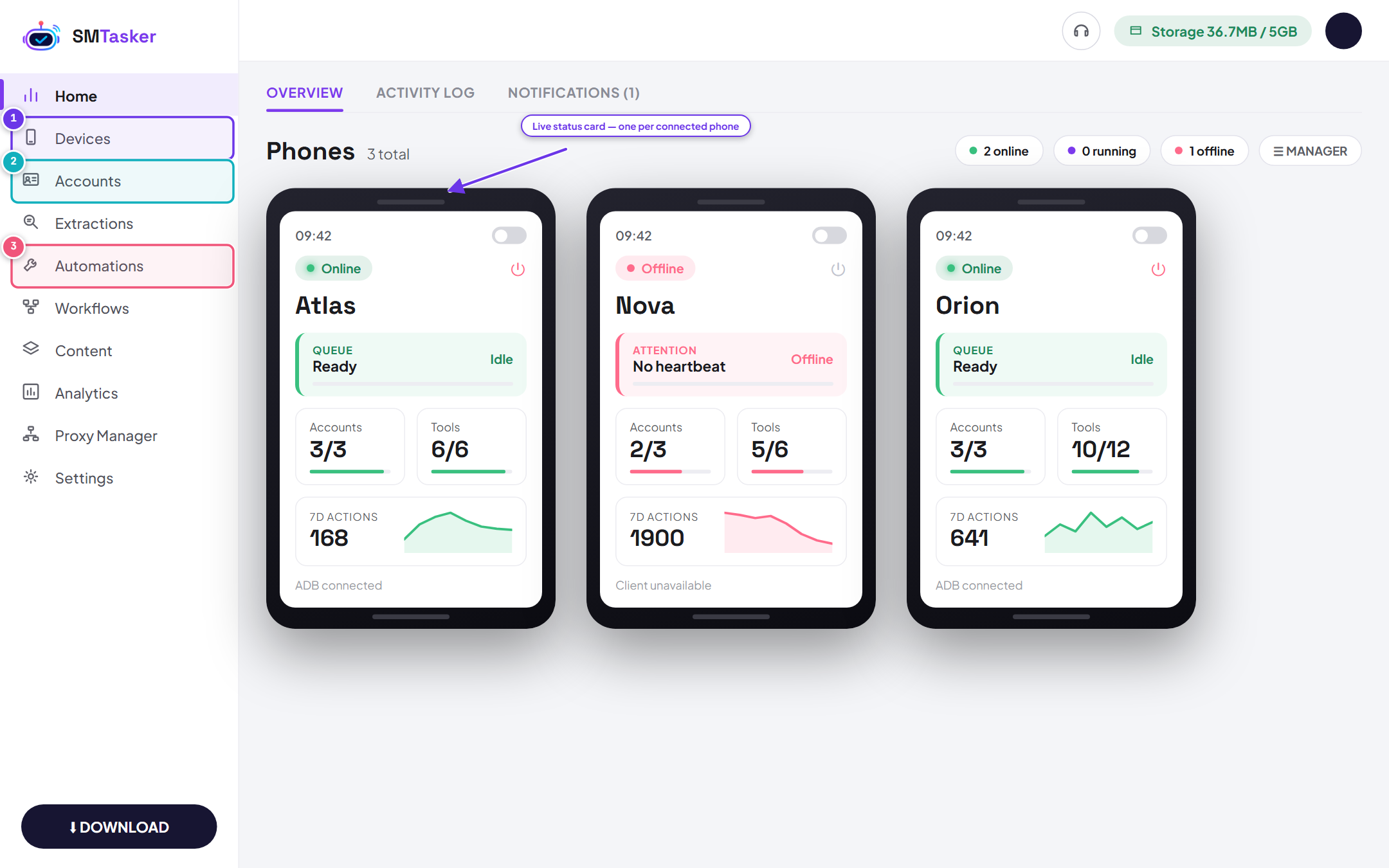
The SMTasker dashboard. Devices, Accounts, and Automations are the Body, Identity, and Brain of every automation you will run.
A 10-second example
- You connect 1 phone
- You add 1 Instagram account
- You start the Follow tool with a limit of 10 follows per hour
From that moment the phone follows targeted users on that account, at human-like speed, within your limits — while you do something else entirely. Add more phones and accounts, and the same setup scales to an entire operation.
Why teams choose SMTasker
- Safety first — device-based automation looks like normal phone activity to the platforms
- Real scale — run many phones and accounts from one dashboard
- Hands-off — schedules, limits and human-like behavior are built in
- No code — every tool is configured with switches and numbers, not scripts
That’s the whole model — body, identity, brain. Time to set yours up.